

The Datalogic PBT9501 barcode scanner connects over Bluetooth in HID keyboard mode so you can enter data in Beam and quickly identify items or place them on location. This guide shows how to connect it to your device.
Steps apply to both standard range (about 1 m) and long-range (10+ m) versions. For other scanners, see our device guides or contact support to confirm compatibility.
Reset factory defaults:

Unlink:

Enable variable PIN:

HID link:

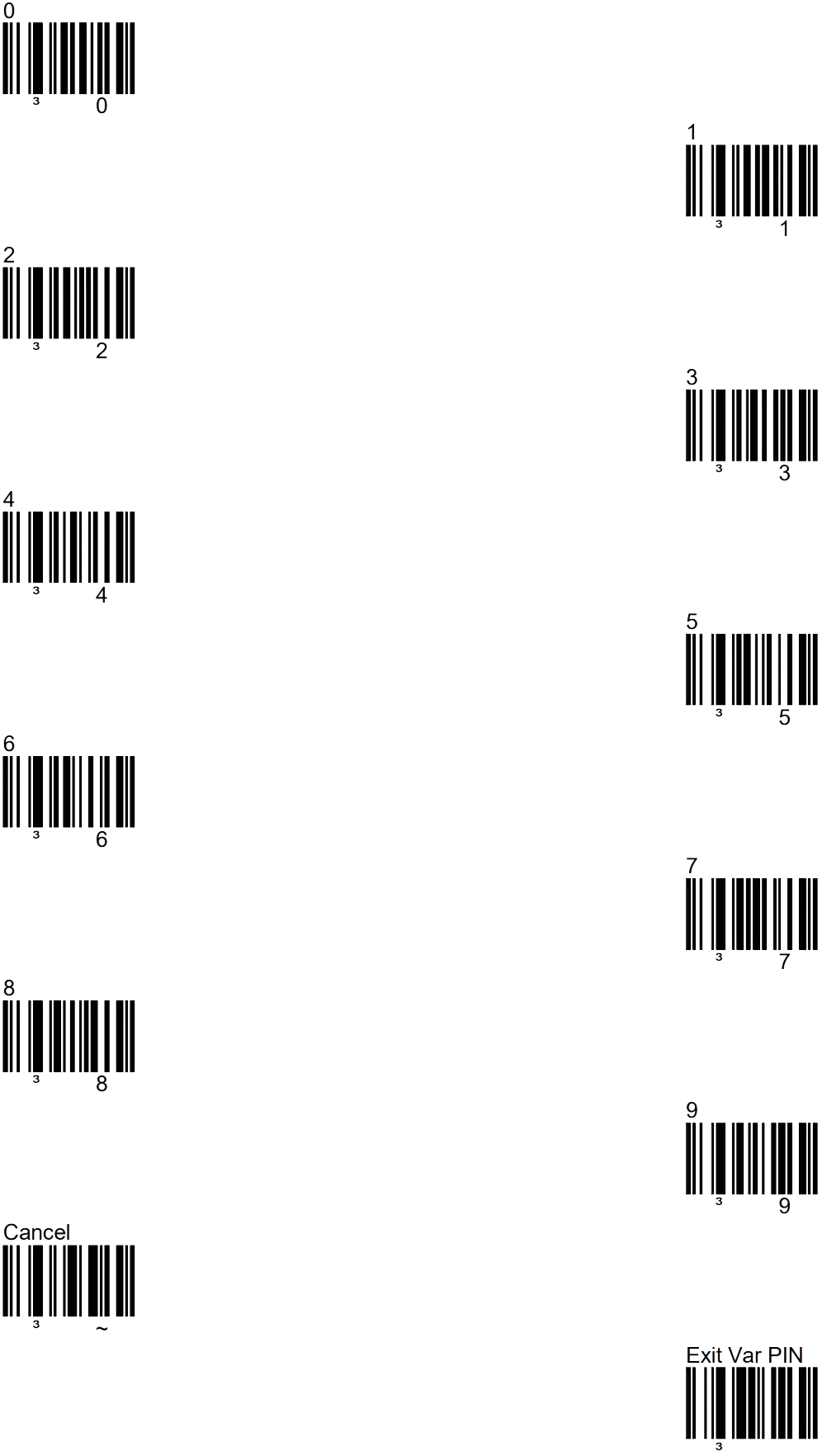
Scan numbers:
Use the barcodes below to scan the Bluetooth prompt numbers. When done, scan the “Exit Var PIN” to end.
Open the iPad on-screen keyboard
On iPad the keyboard hides after you connect a Bluetooth scanner. To show it again, press the scanner's scan button twice in quick succession.
- Double-click: Press the PBT9501 scan button twice.
- Keyboard: The iPad keyboard opens on screen.
- Type: Enter text in the field.
- Close: Use the keyboard close button or press the scanner twice again.
Connecting with SPP
For faster transmission of especially long barcodes, you can use SPP mode. The PBT does not support this on iOS (not MFI certified), but it does on Android. Follow these steps to activate SPP mode (after each step, wait for the confirming beep from the scanner):
1. Reset the scanner
2. Unlink existing connections
3. Link with SPP

On your Android device, search for Bluetooth devices. Make sure the scanner is not shown as an HID device: a keyboard icon often appears next to it in that case, and that icon should not be there.